The receipt app for contractors who'd rather be on the job.
Materials, fuel, tools, permits — snap each receipt from the truck and CompanyReceipts reads it, files it to the right job or business, and has it ready at tax time. No shoebox, no spreadsheet, no lost deductions.
Free to start · No card required · Set up in 2 minutes
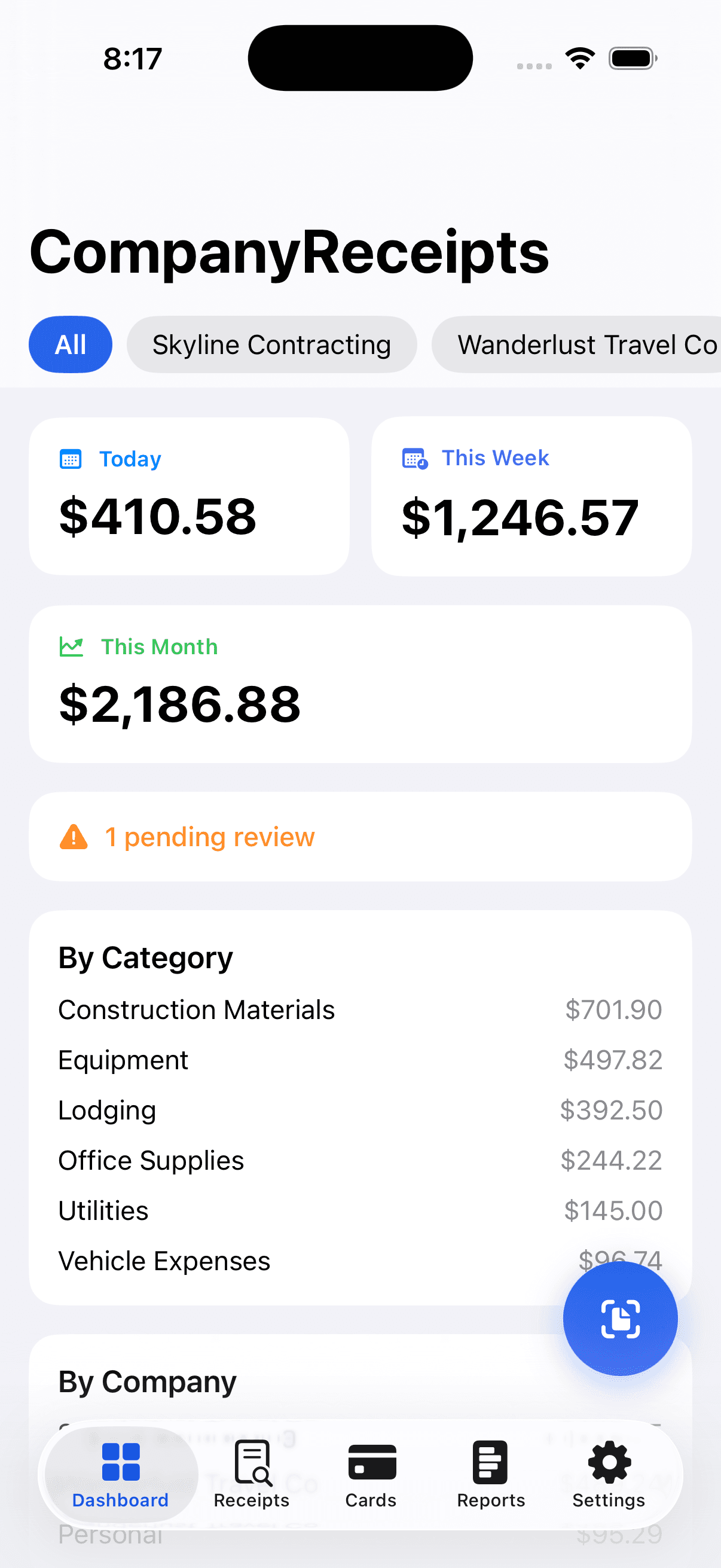
Receipts pile up faster than invoices
Between the lumberyard, the gas station, and the hardware store, a contractor collects a dozen receipts a day. Here's what CompanyReceipts handles for you.
Capture it before it's gone
Snap a receipt the moment you get it — in the truck, at the counter, on site. On-device AI reads the vendor, date, total, and tax so nothing fades in a pocket.
Keep every job clean
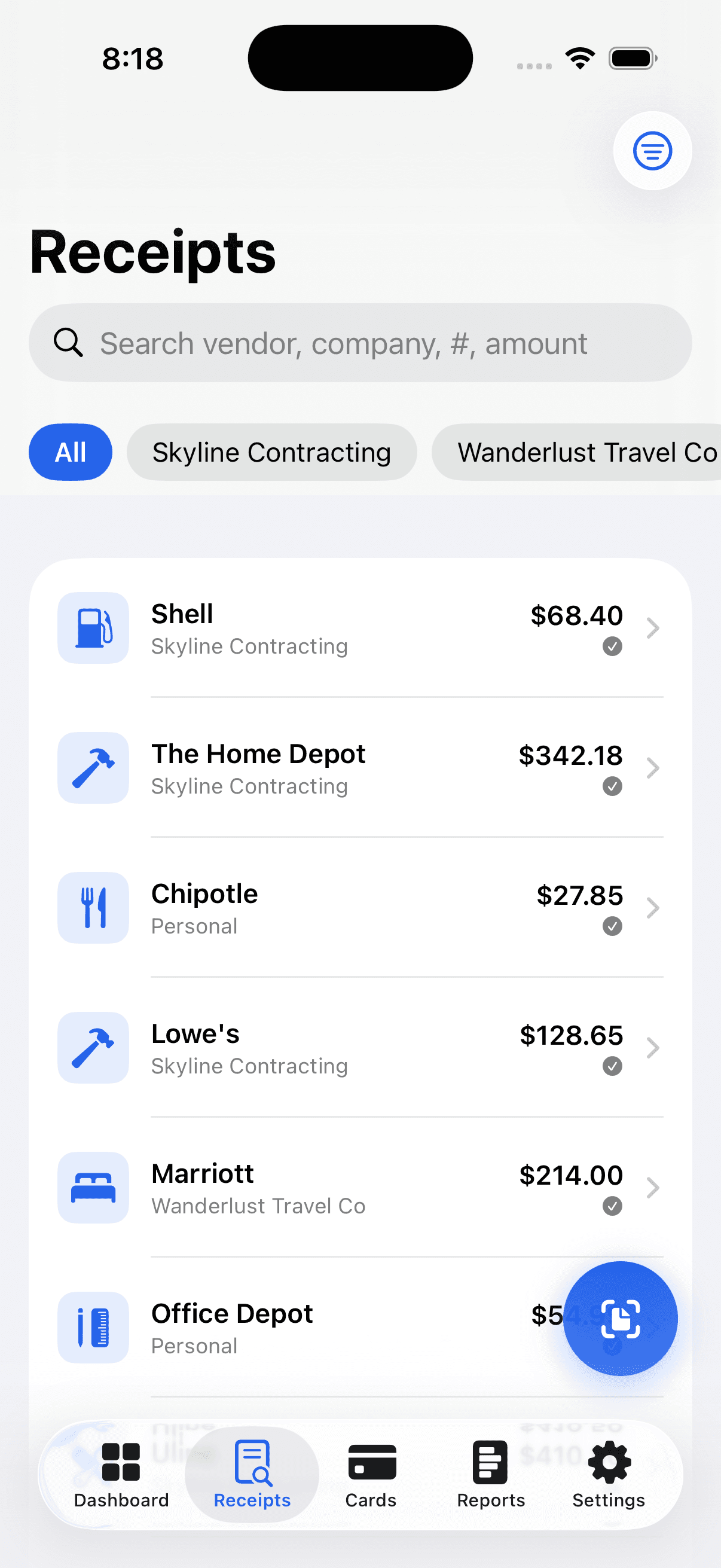
Tag each receipt to a job or business. When it's time to bill the customer or close out the project, the material and expense totals are already there.
Never lose a deduction
Fuel, tools, supplies, and mileage add up to real money at tax time. CompanyReceipts totals your deductible spend by category automatically.
Mileage without the logbook
Log business trips between sites and suppliers, and include a mileage report right in your tax packet alongside your scanned receipts.
Hand your bookkeeper a clean packet
Export a category-organized PDF, a QuickBooks or Xero CSV, or email the whole thing to your accountant — no re-keying, no back-and-forth.
Works where you do
Capture on your iPhone on site, then review, search, and export from the web dashboard back at the office.
Run more than one company? Keep every set of books separate.
Plenty of contractors run a main business, an LLC for a rental, and a side hustle. CompanyReceipts is built for exactly that — tag each receipt to the right company so the books never get crossed, without juggling separate apps or logins.
- One tap to file a receipt to the right business or job
- Per-company totals so nothing bleeds between entities
- Personal and business receipts, together or apart
- Shared workspace + approvals when your crew grows (Teams)
Pricing that pays for itself in one deduction
Start free with 30 scans a month. Upgrade for unlimited — less than a coffee. Pay monthly or save with annual. Cancel anytime.
Free
Everything you need to get organized.
- 30 receipt scans every month
- Scan & auto-fill (on-device AI)
- Categories & search
- CSV export
- One workspace
Pro
Unlimited scans and every power feature.
or $39.99/year — 2 months free
- Unlimited receipt scans
- Auto-email + Google Drive backup
- PDF, QuickBooks & Xero export
- Tax-deduction report + mileage
- Batch scan
- Multiple businesses
Cloud
Unlimited everything — phone, web & team.
or $79.99/year — 2 months free
- Everything in Pro
- Online account & web dashboard
- Sync across all your devices
- Email receipts in to capture them
- Team access + approvals
Individual plans are billed through the Apple App Store. Teams are billed to the company on the web.
Teams
Don't make everyone buy their own. One admin pays for the whole company, invites employees, and assigns or reclaims seats — all on the web. Each member gets full Cloud on their phone and the web dashboard, with shared workspaces, roles, and expense approvals.
- Centralized, per-seat billing
- Invite & assign seats
- Admin roles & permissions
- Expense-approval workflow
- Shared company workspaces
- Audit log of every change
Questions, answered
Is CompanyReceipts good for contractors and tradespeople?
Yes. It's designed for people who collect a lot of receipts on the go — contractors, electricians, plumbers, HVAC, landscapers, and other trades. Snap materials, fuel, tool, and permit receipts, tag them to a job or business, and export tax-ready reports without keeping a shoebox.
Can I track expenses by job or project?
You can tag every receipt to a company or business so each project's material and expense totals stay separate. That makes billing customers and closing out jobs much faster, and keeps your books clean.
Does it track mileage between job sites?
Yes. Pro and Cloud include a mileage log for business trips between sites and suppliers, and a mileage report you can include in your year-end tax packet.
Can I export to QuickBooks for my bookkeeper?
Yes. Export a QuickBooks Online or Xero-ready CSV plus a branded PDF expense packet, or email the whole packet straight to your accountant — no re-keying.
What does it cost?
Free forever for 30 scans a month. Pro is $3.99/month (or $39.99/year) for unlimited scans and every power feature. Cloud adds the web dashboard and team access for $7.99/month. For a crew, the Teams plan is $6.99 per user per month billed to the company.