
Never lose a
receipt again.
Snap a photo and CompanyReceipts reads it, files it, and keeps it — your personal expenses or your business. Find any receipt in seconds, export it at tax time, done.
Free to start · No card required · Set up in 2 minutes
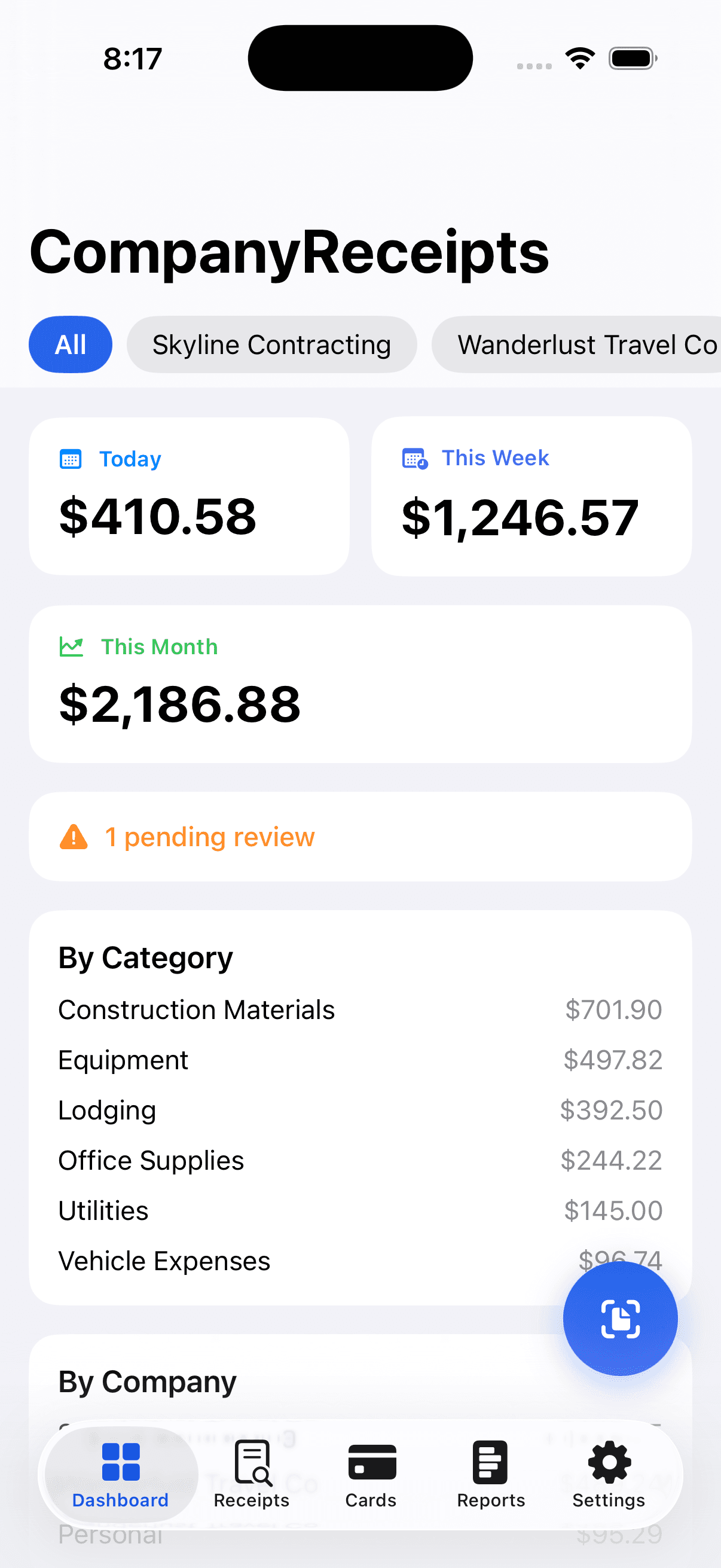
From shoebox to sorted in seconds
Three steps. No typing, no spreadsheets, no end-of-year scramble.
Snap it
Point your camera at any receipt — paper, email, or PDF. One tap, that's it.
It's read & filed
On-device AI pulls the vendor, date, total, and tax, sorts it into a category, and files it.
Find & export anytime
Search any receipt in seconds, then export a tax packet, CSV, or mileage report in a click.
Free forever for personal use · No card required
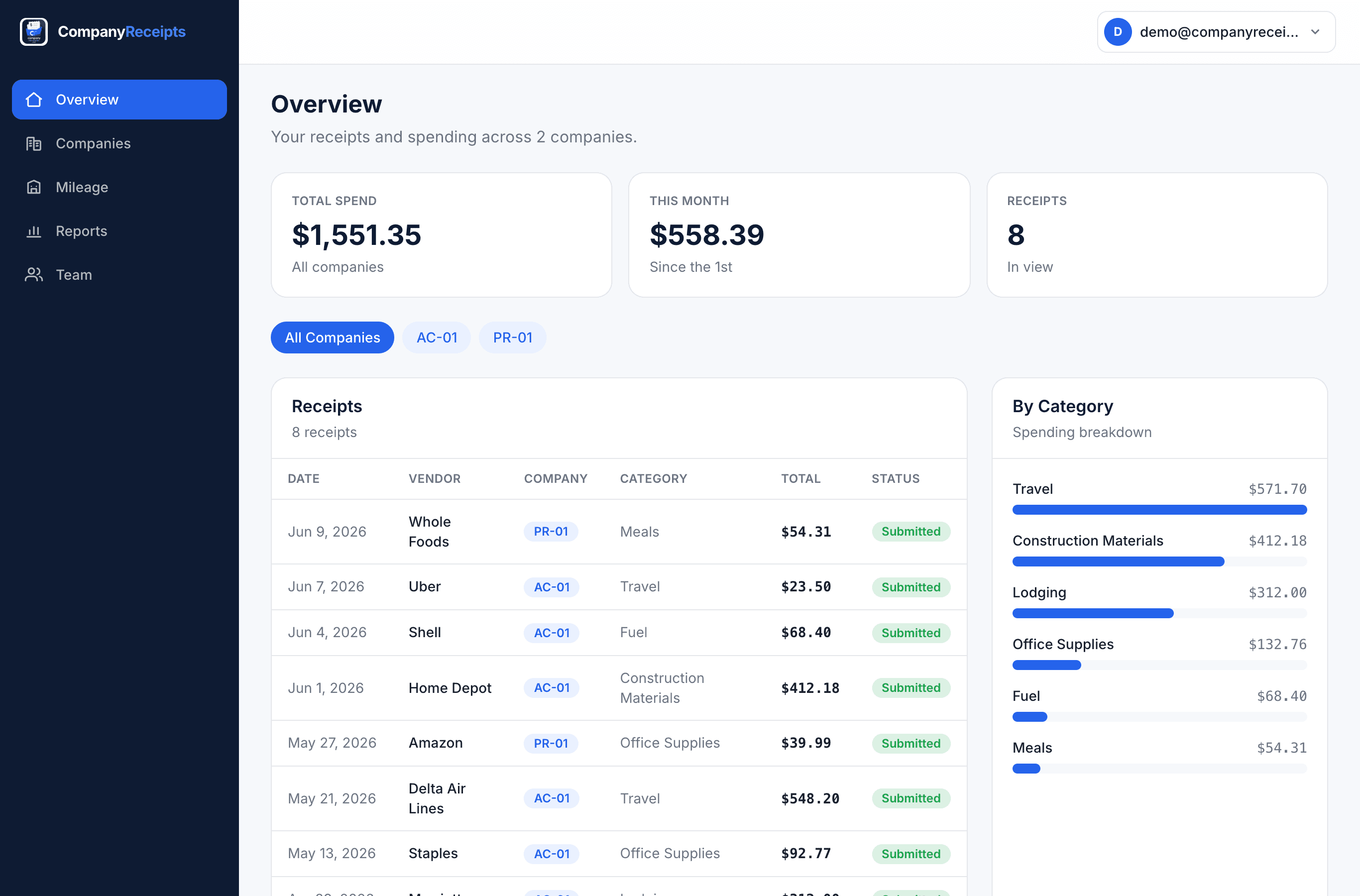
Your whole shoebox, on the web
On the Cloud plan, every receipt syncs to a clean web dashboard. See what you've spent this month, scan through receipts with status pills, and break it down by category — then export when you're ready.
- Live totals: this month, receipt count, deductible estimate
- Searchable, sortable receipts table with status at a glance
- Category breakdown so you always know where money went
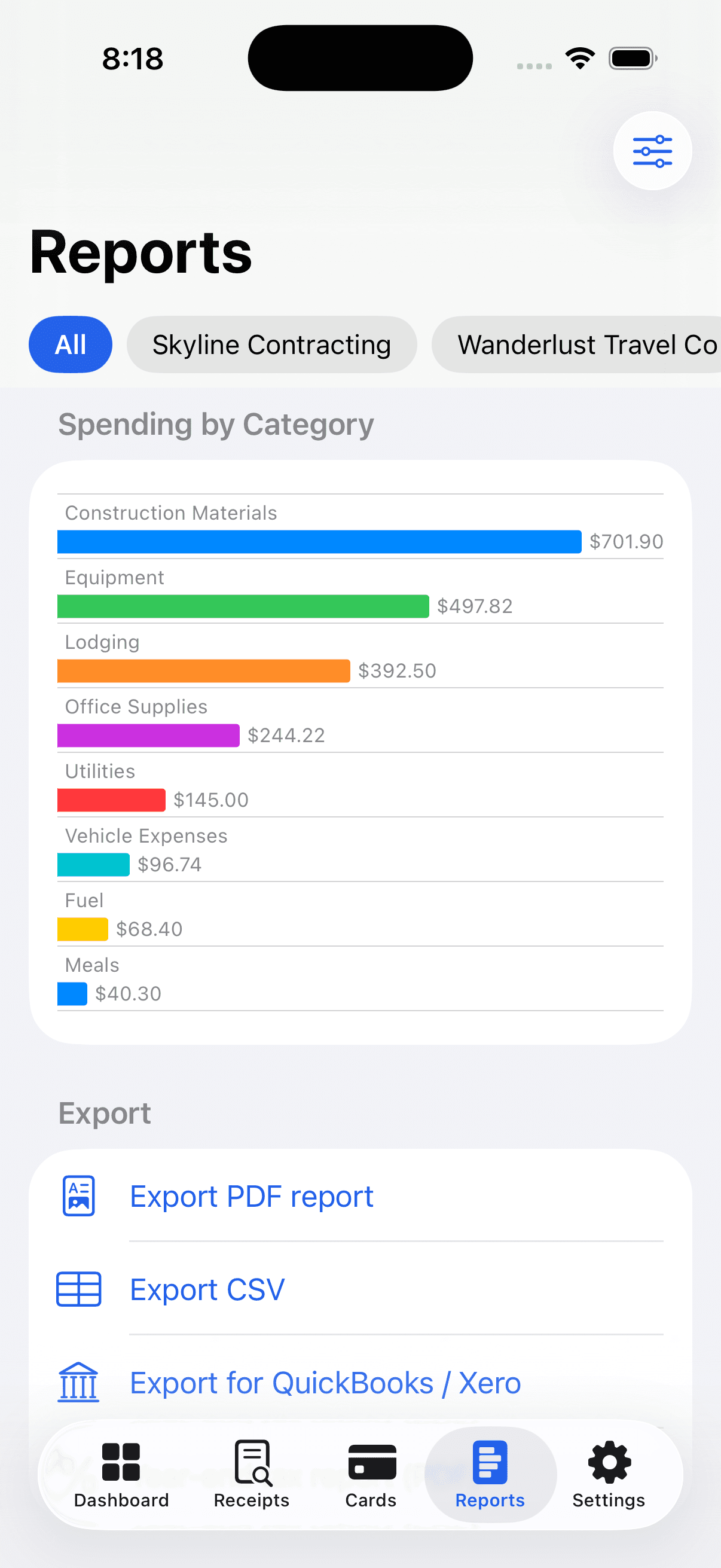
Tax-ready in one tap
When tax season comes, you're already done. Export a clean, category-organized PDF packet, a QuickBooks or Xero CSV, and a mileage report — or email the whole thing to your bookkeeper.
- PDF packet, QuickBooks & Xero CSV, deduction + mileage reports
- Deductible totals calculated for you across every category
- Email it straight to your accountant
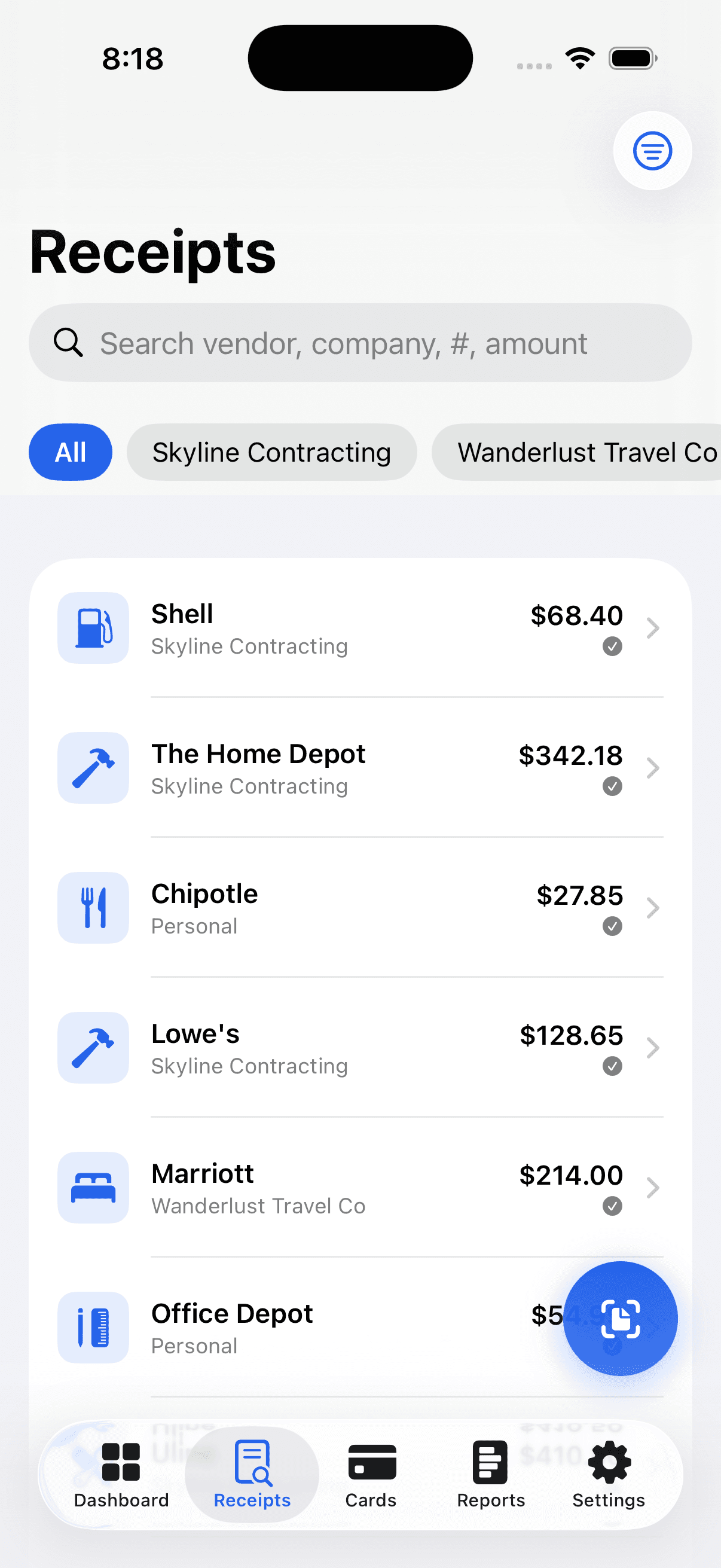
Keep every business separate
Running a company, a side hustle, or two? Tag each receipt to the right business so every set of books stays clean — without juggling apps. And if you just want one place for personal receipts, that works too.
- One tap to file a receipt to the right company
- Per-business totals so the books never get crossed
- Personal and business receipts, side by side or apart
Receipts, finally handled
Whether it's your personal expenses, a side hustle, or several businesses — every receipt lands in the right place.
Scan and it's done
Snap a photo and the vendor, date, total, and tax are read for you on-device. No typing, no shoebox.
Find any receipt in seconds
Everything organized by date, vendor, and category — and searchable. The one from last March? Right there.
Tax-ready, instantly
A clean PDF packet, QuickBooks/Xero CSV, a tax-deduction report, and mileage — exported in a click.
Backed up to your Drive
Optionally file a copy to your own Google Drive, organized by year and month — or email it to your bookkeeper.
Keep businesses separate
Run more than one company or a side hustle? Tag each receipt to its business so the books stay clean. (Optional.)
Private by design
Your receipts are yours alone — every row is locked to your account, and scanning runs on your device.
Honest, simple pricing
Start free with 30 scans a month. Upgrade for unlimited — less than a coffee. Pay monthly or save with annual. Cancel anytime.
Free
Everything you need to get organized.
- 30 receipt scans every month
- Scan & auto-fill (on-device AI)
- Categories & search
- CSV export
- One workspace
Pro
Unlimited scans and every power feature.
or $39.99/year — 2 months free
- Unlimited receipt scans
- Auto-email + Google Drive backup
- PDF, QuickBooks & Xero export
- Tax-deduction report + mileage
- Batch scan
- Multiple businesses
Cloud
Unlimited everything — phone, web & team.
or $79.99/year — 2 months free
- Everything in Pro
- Online account & web dashboard
- Sync across all your devices
- Email receipts in to capture them
- Team access + approvals
Individual plans are billed through the Apple App Store. Teams are billed to the company on the web — see below.
Teams
Don't make everyone buy their own. One admin pays for the whole company, invites employees, and assigns or reclaims seats — all on the web. Each member gets full Cloud on their phone and the web dashboard, with shared workspaces, roles, and expense approvals.
- Centralized, per-seat billing
- Invite & assign seats
- Admin roles & permissions
- Expense-approval workflow
- Shared company workspaces
- Audit log of every change
Good questions, straight answers
Every receipt, in its place.
Set up in two minutes. Free to start, no card required.